Interaction design Product flows, Systems thinking
Impact
Handed off for the next shipping cycle with design, engineering, and PM sign-off, then presented to Sentry’s CTO, CFO, Chief of Staff, and Head of Design.
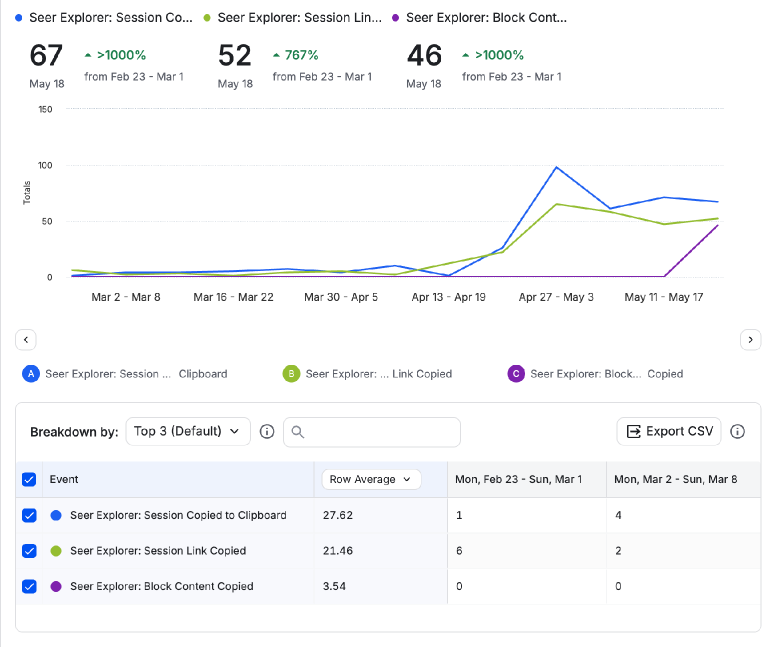
Turned hand copying, 306 clipboard and 235 session-link copies in a 30-day May window, into one click with two payload scopes.
Made the send a single tap for the 97% of users who had one agent, while keeping tool-call detail in the payload.
Seer Agent
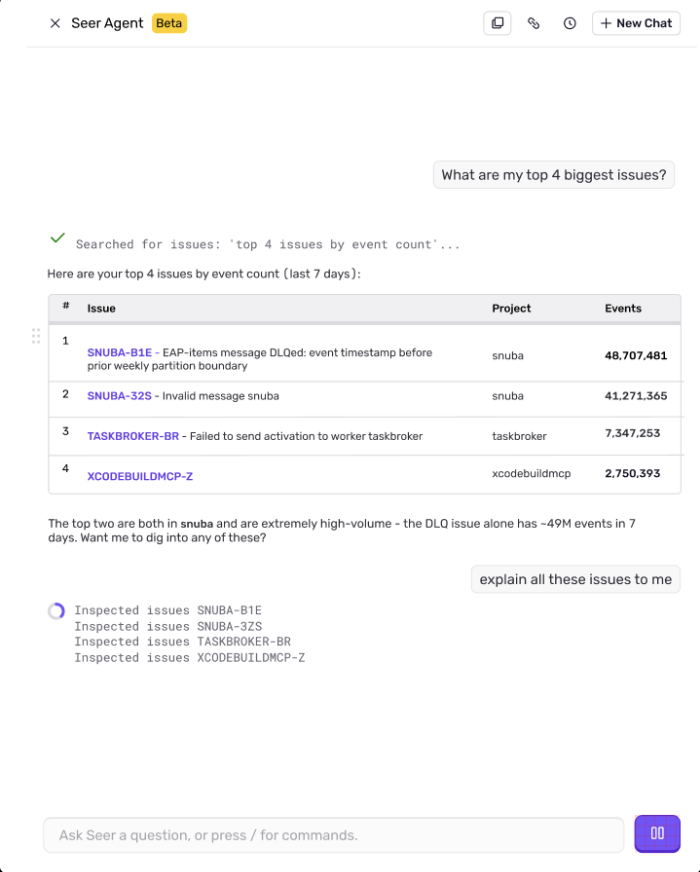
What are my slowest DB queries?
Queried spans in web-app: slowest database queries0.0s
No DB query spans found.
Your web-app project is a Next.js frontend application. it doesn't appear to have any database (db) spans instrumented. There are no DB query spans in the last 14 days.
This is expected for a pure frontend project. DB queries would typically show up if you had a backend service (e.g., a Node.js API, Python server, etc.) instrumented with Sentry's server-side SDK.
Ask Seer a question, or press / for commands.
Overview
Seer finds the cause. The fix gets written somewhere else.
Seer is Sentry’s debugging agent. A developer asks it in plain language what broke, and it reads the issue, traces, logs, and profiles to answer. When they are ready to write the fix, they leave for Claude or Cursor, and the reasoning that found the bug has to make the trip with them.
I designed that handoff during my AI/ML internship: the entry points, what each one sends, and how the chat confirms it. A design advisor reviewed each round, four engineers worked the payload out with me on a whiteboard, and I settled the confirmation copy with the PM.
The problem
Context left Seer by hand.
Problem Statement: Developers using Seer experience lost context and evidence when they hand an investigation to a coding agent, because the only ways to move it are copying by hand or sharing session links that agents cannot open, leading to broken handoffs and fixes that start without the reasoning that found the bug.
The obvious fix is a link. But Seer’s session links are auth-gated and rendered in the browser, and a local agent has no logged-in browser to open them in. That left the clipboard, which holds one thing at a time and gets overwritten by the next copy. So the real question was not where to put a button. It was how to move enough of the investigation that another agent could pick it up.
Three structural questions came before styling a single component. Every answer had a design implication, and every implication had an engineering constraint.
1Where does it live?
Navigation, message level, or a slash command.
2What does it send?
A single block, the full conversation, or something in between.
3What happens after?
The agent doesn’t send results back, so the chat has to confirm the handoff.
The solution
Two ways to send context to a coding agent
Seer Agent
What are my slowest DB queries?
Queried spans in web-app: slowest database queries2.2s
No DB query spans found.
Your web-app project is a Next.js frontend application. it doesn't appear to have any database (db) spans instrumented. There are no DB query spans in the last 14 days.
This is expected for a pure frontend project. DB queries would typically show up if you had a backend service (e.g., a Node.js API, Python server, etc.) instrumented with Sentry's server-side SDK.
Ask Seer a question, or press / for commands.
01 From the chat
Send a specific response
A developer has found a useful response and is ready to act on it. The action beside that response sends the answer, its related tool calls, and the last user message.
This example shows multiple configured agents: open the robot menu, choose Claude, then see confirmation in the chat.
Seer Agent
What are my slowest DB queries?
Queried spans in web-app: slowest database queries2.2s
No DB query spans found.
Your web-app project is a Next.js frontend application. it doesn't appear to have any database (db) spans instrumented. There are no DB query spans in the last 14 days.
This is expected for a pure frontend project. DB queries would typically show up if you had a backend service (e.g., a Node.js API, Python server, etc.) instrumented with Sentry's server-side SDK.
Ask Seer a question, or press / for commands.
02 From the navigation
Send the full conversation
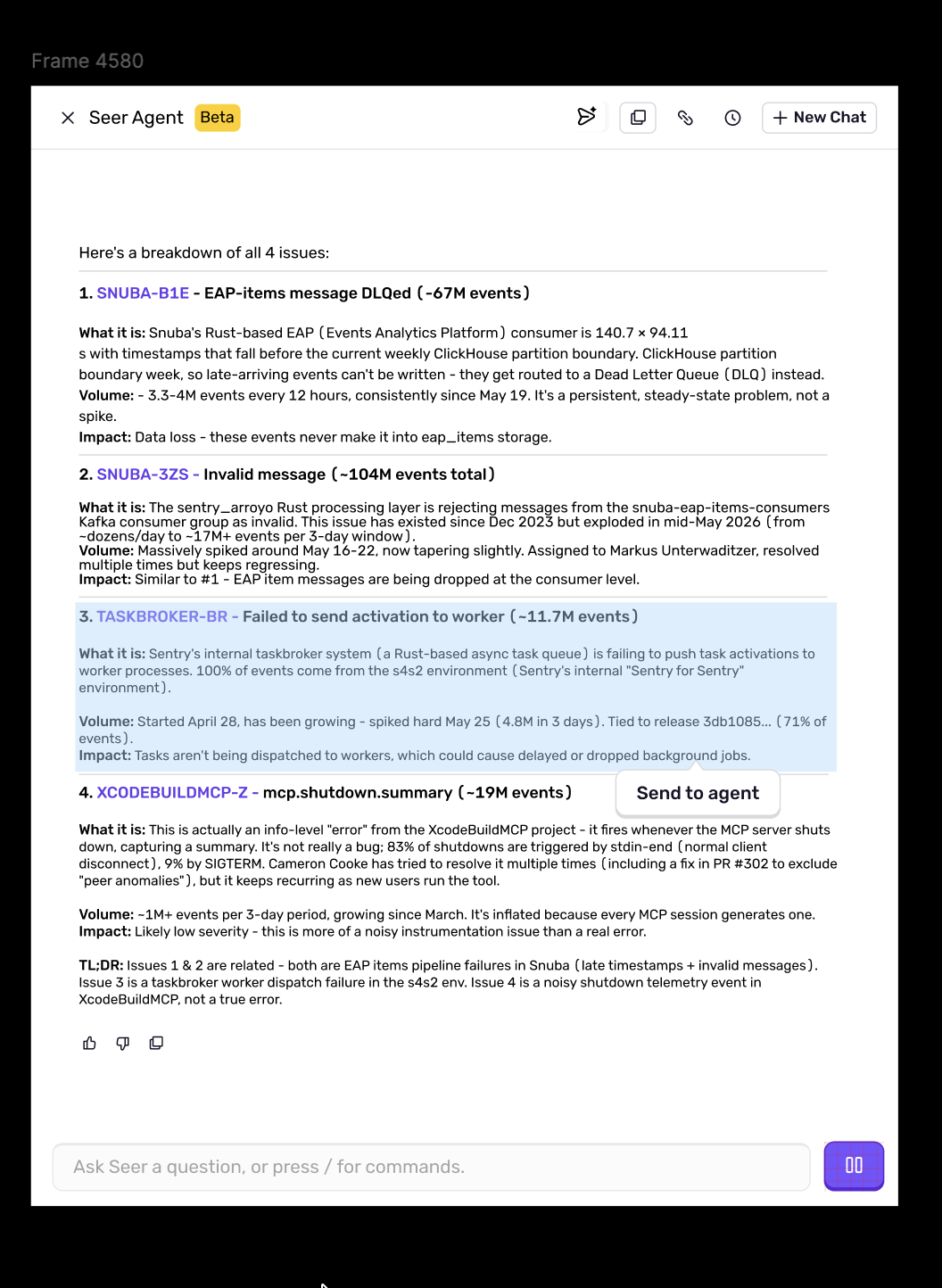
When the next step belongs in a coding agent, the top navigation sends the full conversation. Earlier questions, findings, and tool calls travel together.
This example shows one configured agent. Clicking the Claude icon starts the handoff directly; the caret keeps agent choices and integration setup accessible.
Where a response is what matters, the developer sends just that answer and its context. Where the whole thread matters, the navigation sends everything. With one agent configured the icon sends on click; with several, it opens the choices. Design, engineering, and PM approved this version. Here is how it got there.
Design process
Two developers
I started with two developers in FigJam.
A specific finding
The expert developer
Seer has surfaced something useful. They know which part they want to act on.
Use case: act on a specific finding
Send that response and its supporting context to a coding agent as a prompt or starting point, without copying it by hand.
Entry pointChat level
A continuing investigation
The vibe coder
They have reached a limit in Seer and want to keep going in their coding agent.
Use case: continue the investigation
Send the full Seer conversation to Claude or Cursor and keep working with the context already built.
Entry pointNavigation bar
Decision 01
What were developers already copying?
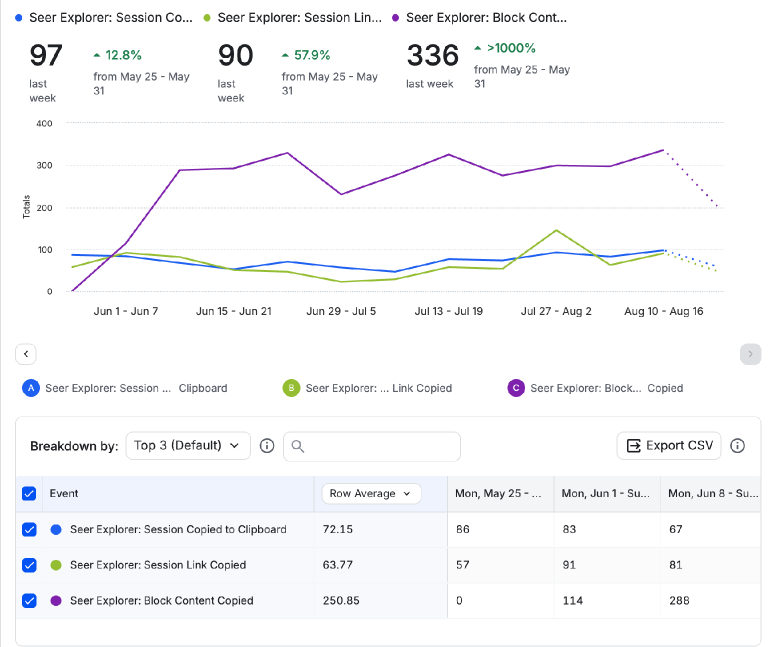
I pulled Amplitude for a 30-day window in May. Block copying had launched on May 21, so its 45 events had less exposure than the 114 to 336 a week it reached from June through August, and I kept the two periods separate.
May: weekly copying, separate from the 30-day totals.June through August: block copying became routine. Copying observed before Send to Agent existed.
Where the first direction fell apart: session links could not be read by a local agent, so the payload became the product.
Result
The payload became readable content; 306 clipboard copies and 235 link copies in 30 days backed the call.
Decision 02
What travels with the send?
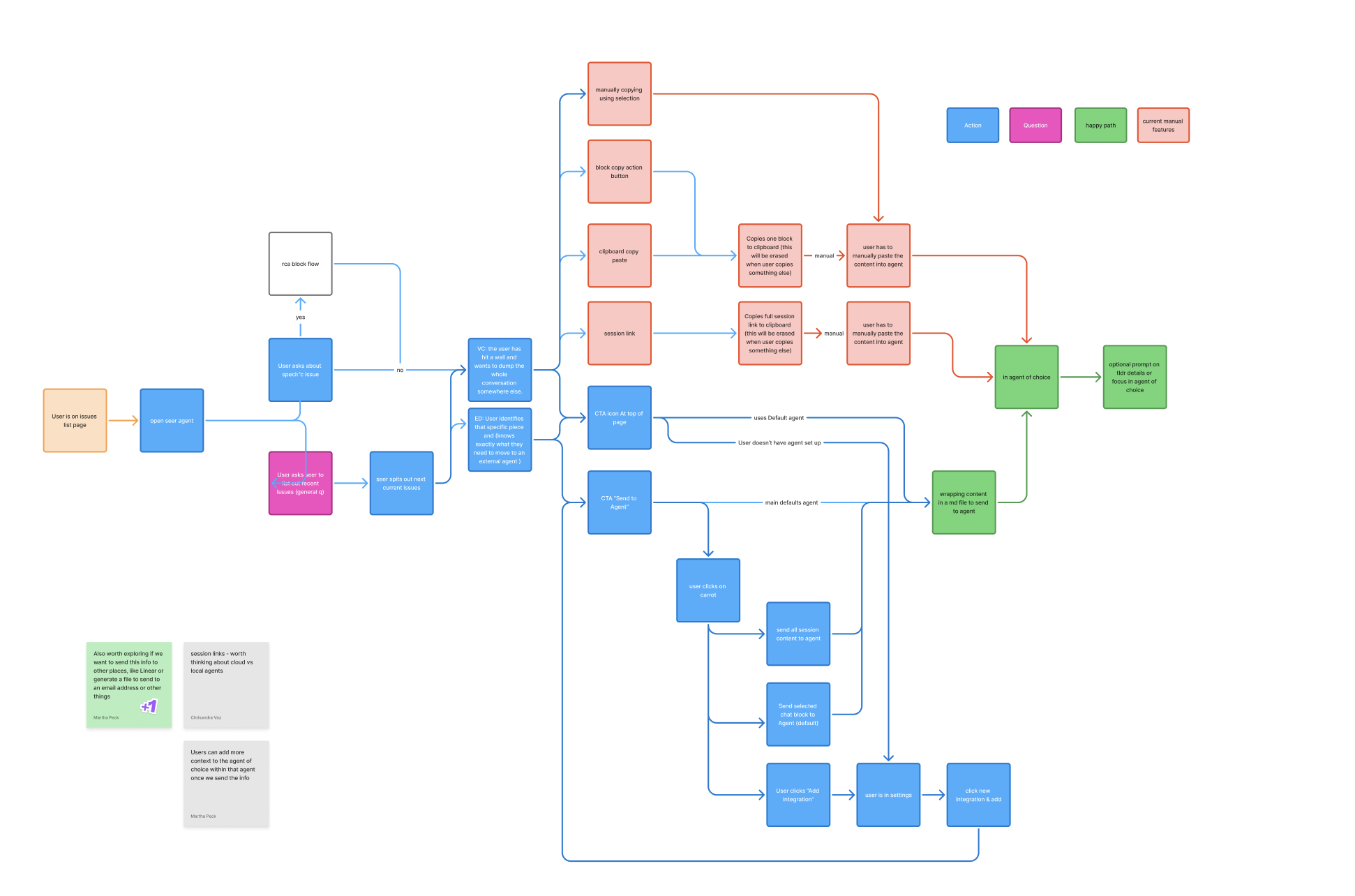
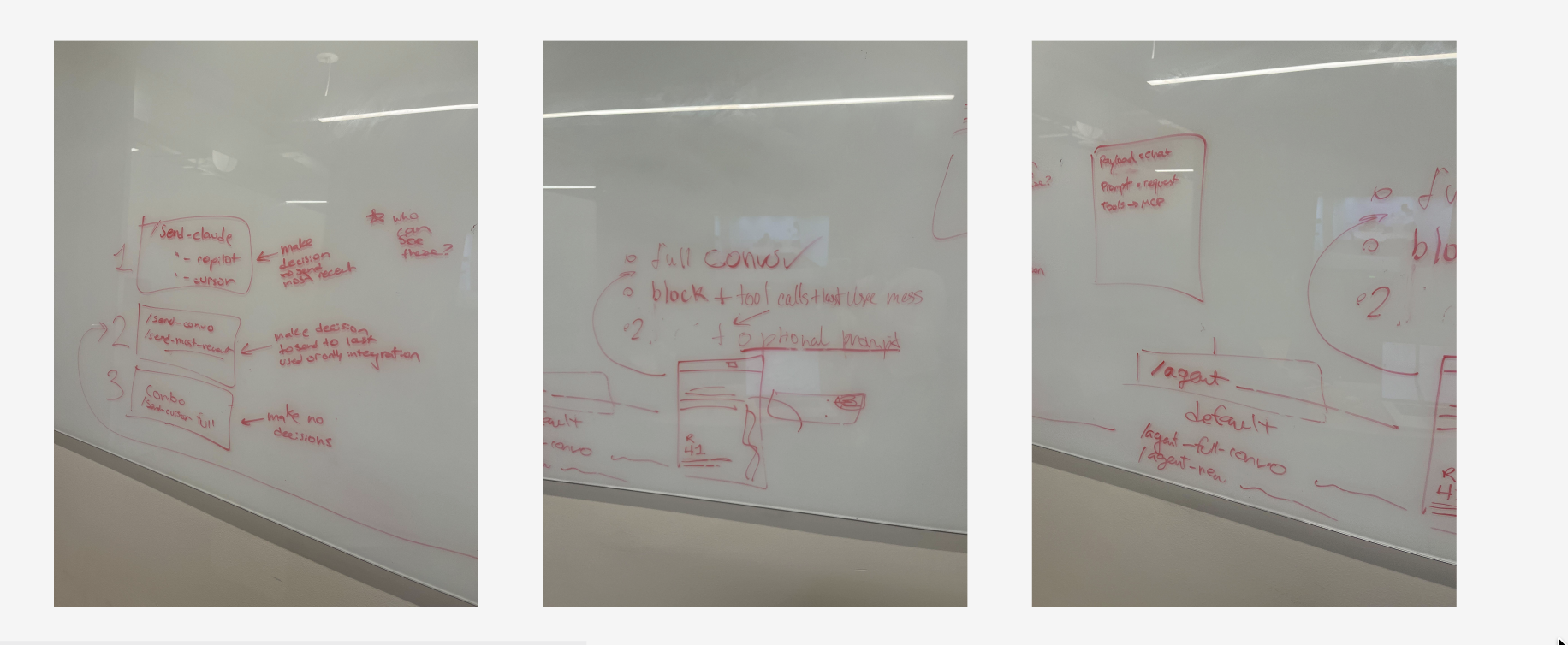
I mapped the handoff in FigJam, then worked the payload through on a whiteboard with an engineer.
Existing workarounds beside the proposed handoff.
A single reply was often incomplete. A range “up to this point” avoided unrelated threads but asked the developer to judge which turns and tool outputs mattered. So I fixed two scopes: a response with its last user message and related tool calls, or the full conversation.
What to send, how to choose the destination, whether to ask for more.
Critique shrank the button
In critique the split button gave a secondary action too much weight, and one menu holding destination, scope, download, and setup added decisions. I moved to a compact action whose placement says what will be sent.
A visible action beneath the response.An action on the table itself.Select a passage to reveal the action.Ask for context before sending.
I annotated both scopes in Figma so engineering would carry the question, the answer, and the tool output even with the details collapsed.
The key shift: the button could stay small because the payload had been worked out behind it.
The working file, discarded directions included.
Result
Two scopes, annotated in Figma, went to engineering as the payload contract.
Decision 03
Where should the button live?
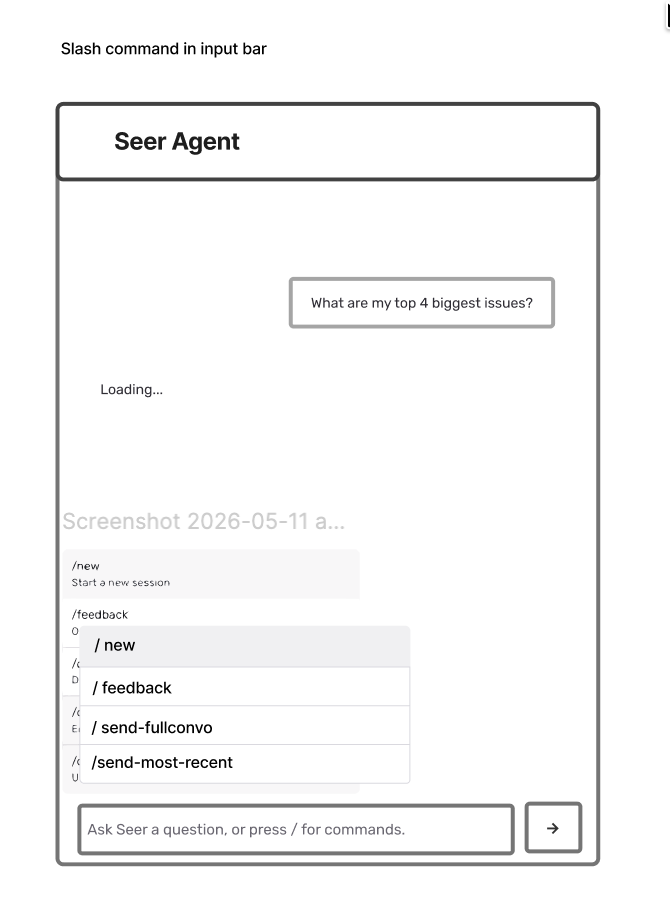
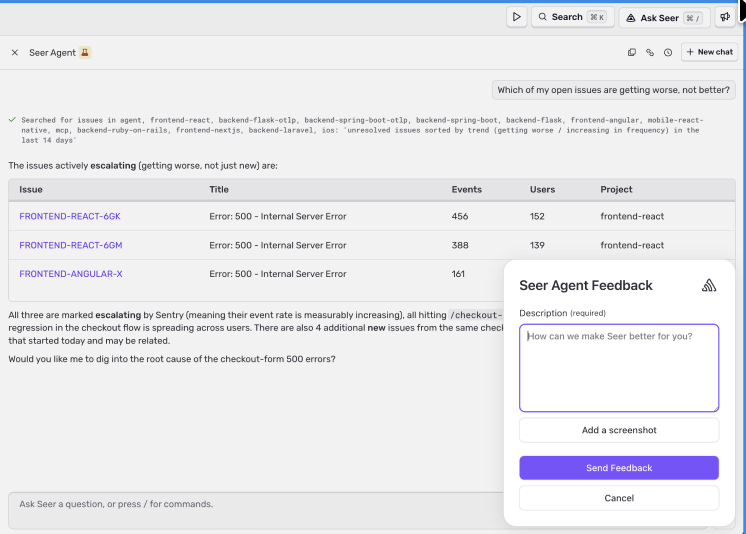
Three slash-command structures were not discoverable enough for the MVP, and Seer already had a feedback pop-up, so I dropped the idea of another command-triggered form. I reused the Autofix robot pattern as a compact icon whose placement sets the scope.
The two scopes as commands in the input.Seer’s existing feedback pop-up, the reason I avoided another form.
Entry point
Split button in the toolbar
Pro: visible. Con: too much weight for a secondary action. Cut.
Slash command
Pro: kept the send in the composer. Con: none of three structures was discoverable. Cut for MVP.
Icon action, nav and message level
Pro: matched the Autofix robot pattern people knew. Con: relied on placement to say what it sends. Chosen.
Payload
Single block
Pro: simplest to send. Con: too little context for the next agent. Cut.
Range, “up to this point”
Pro: avoided unrelated threads. Con: lost evidence and made the developer choose. Cut.
Two scopes: response with context, or full conversation
Pro: the entry point set the scope. Con: the full conversation sends more material. Chosen; the model weighted what mattered.
After sending
Inline tool-call update
Pro: nothing new in the chat. Con: easy to miss when scrolling back. Cut.
Large status card
Pro: a persistent record. Con: implied Seer was tracking the other agent’s work. Cut.
Compact confirmation with session link
Pro: confirmed the one event Seer could verify. Con: says nothing about the fix. Chosen.
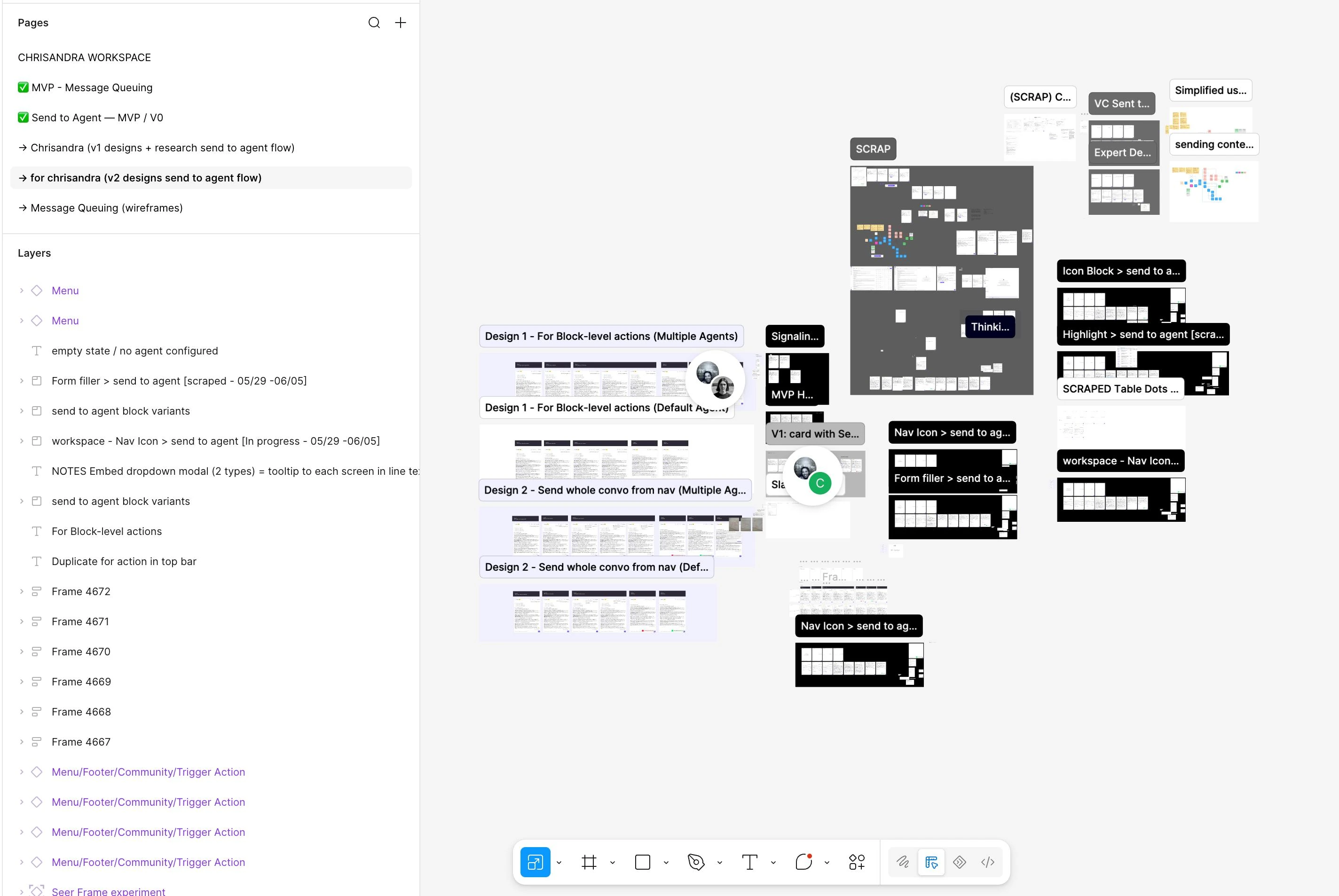
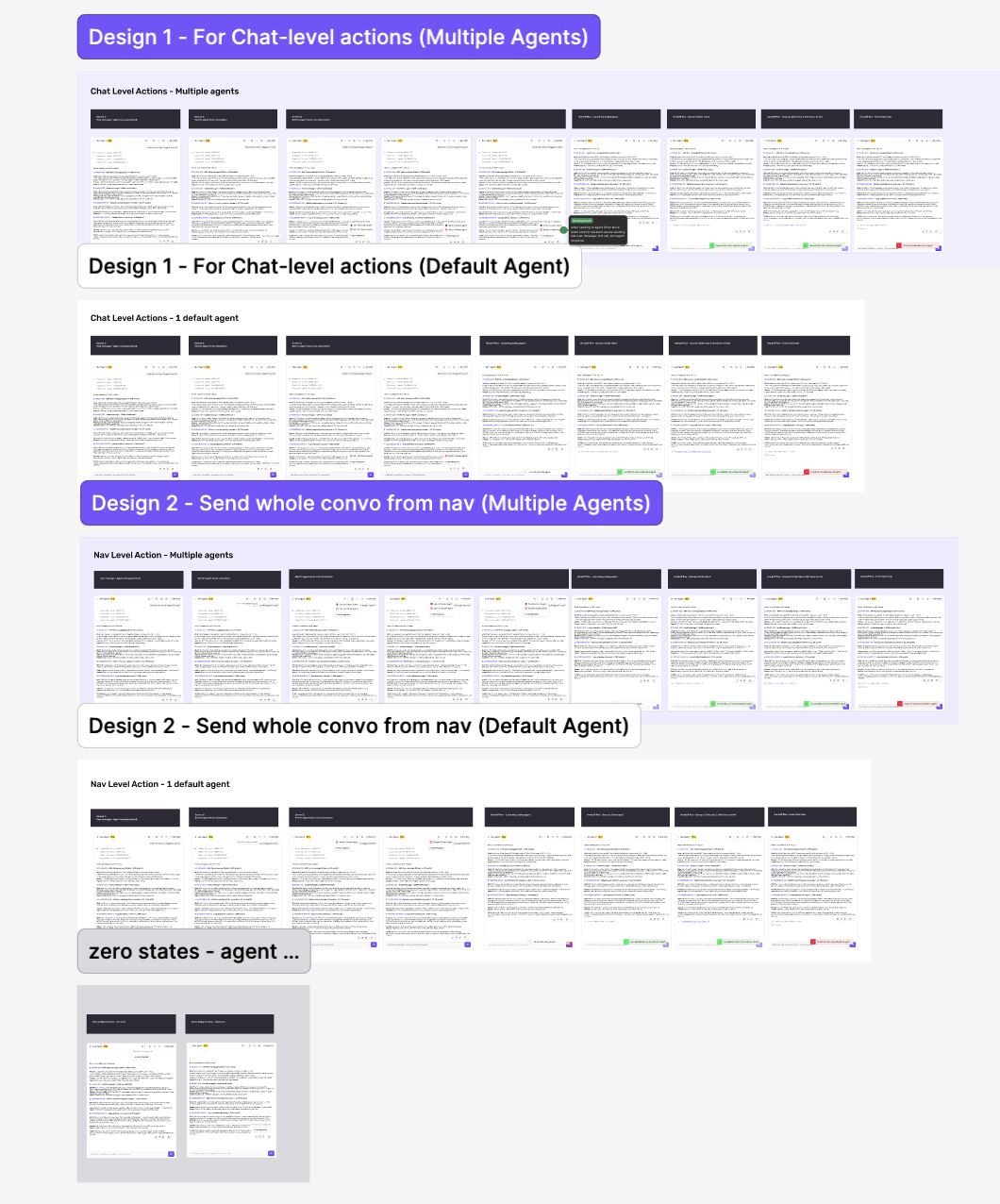
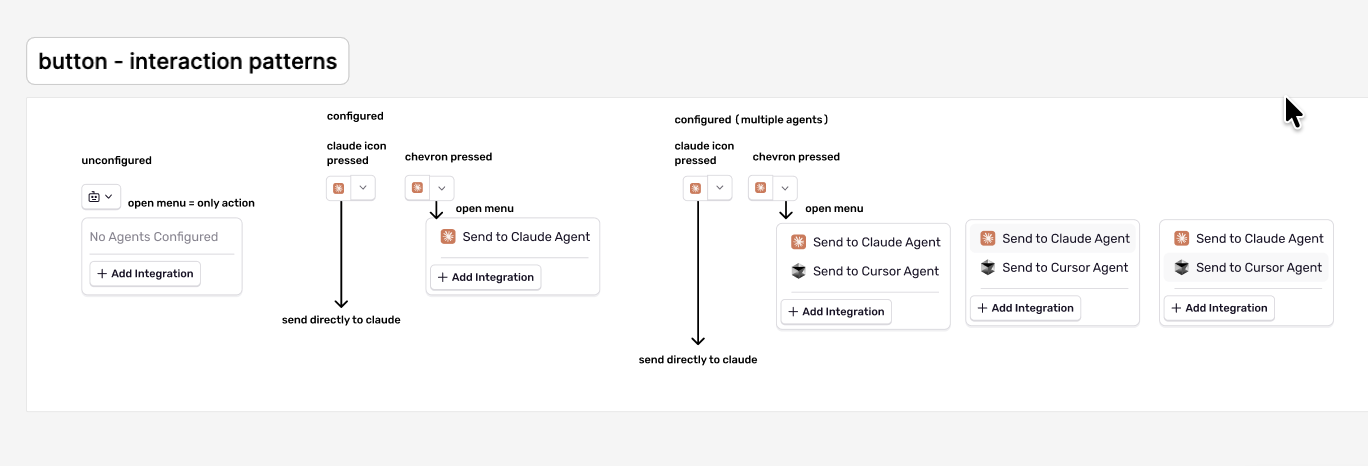
Design 1 and Design 2 boards as handed to engineering: both entry points across no-agent, one-agent, and multiple-agent configurations, then the zero states.
Result
One icon in two places, the Autofix robot pattern reused, went to engineering on the Design 1 and Design 2 boards.
Decision 04
What happens with zero, one, or many agents?
With none configured, the menu shows “No Agents Configured” and “Add Integration.” Setup can need an admin, so a missing integration had to read as a route to settings rather than a broken handoff.
No configured agents, one agent, multiple agents.
Rules for the edges
No agent configured is not an error. Only admins can add integrations, so the menu offers “Add Integration” instead of a failure state.
The hidden send message never appears as a user bubble. Sending creates a background message for the integration; only the confirmation belongs in the visible chat.
Result
Three button patterns and two edge rules were documented on the button-states board.
Decision 05
What can Seer honestly confirm?
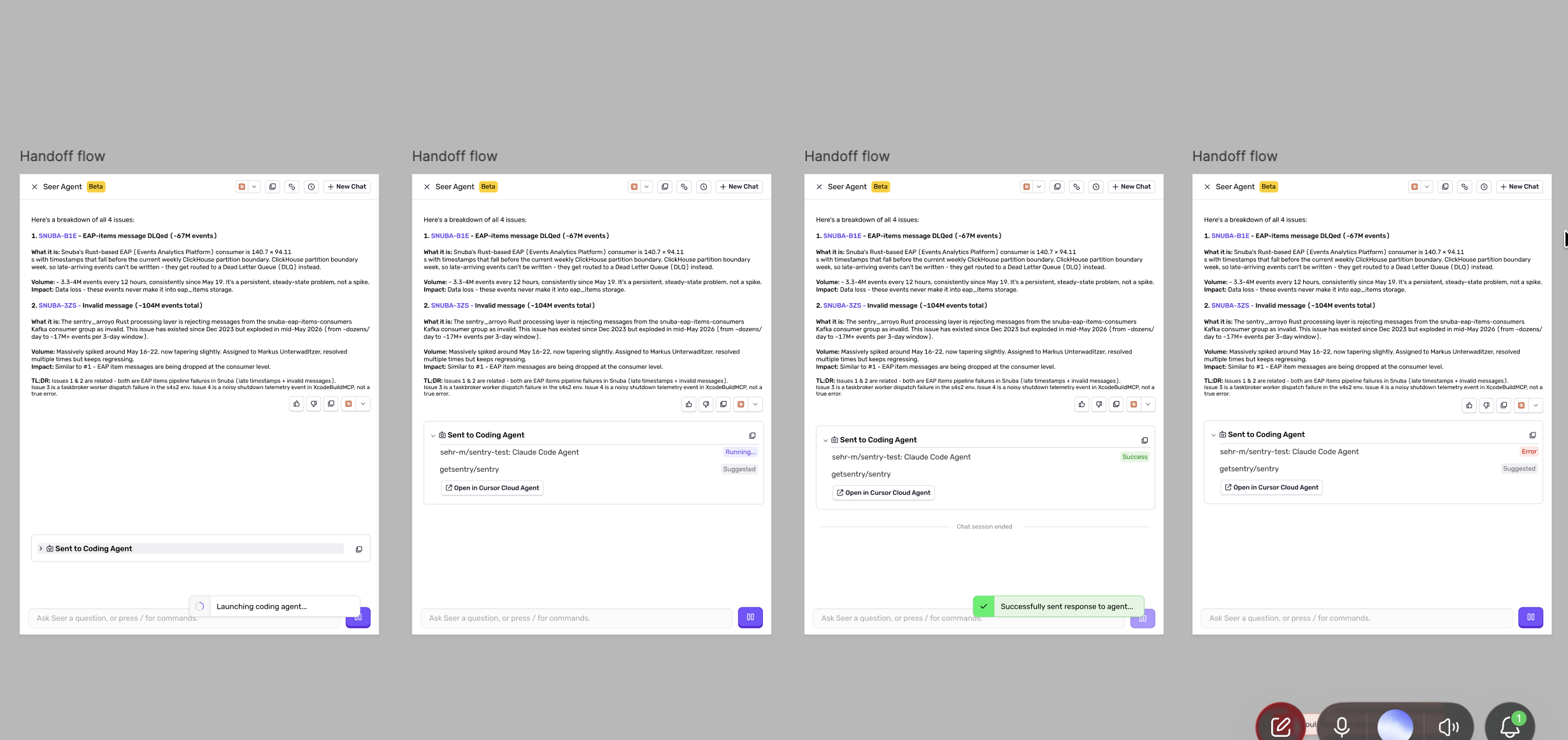
I first explored a large “Sent to Coding Agent” card with running, success, and error states. Then two engineers, a day apart, gave me opposite answers on whether the integration could return status. I brought engineering and PM into one thread and pushed for a written decision. The question became what Seer could honestly confirm.
The larger card, including a version that ended the chat session.
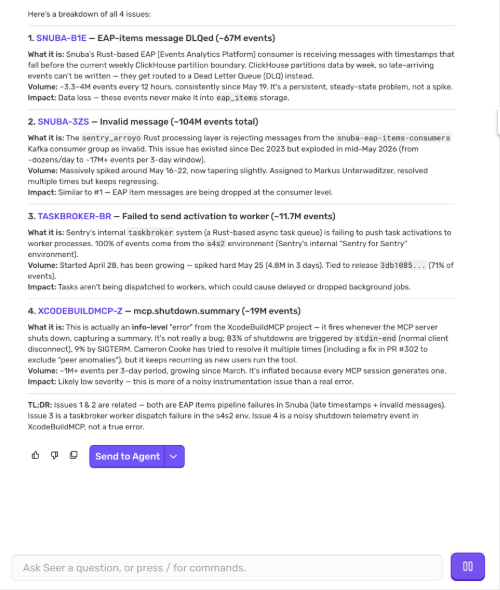
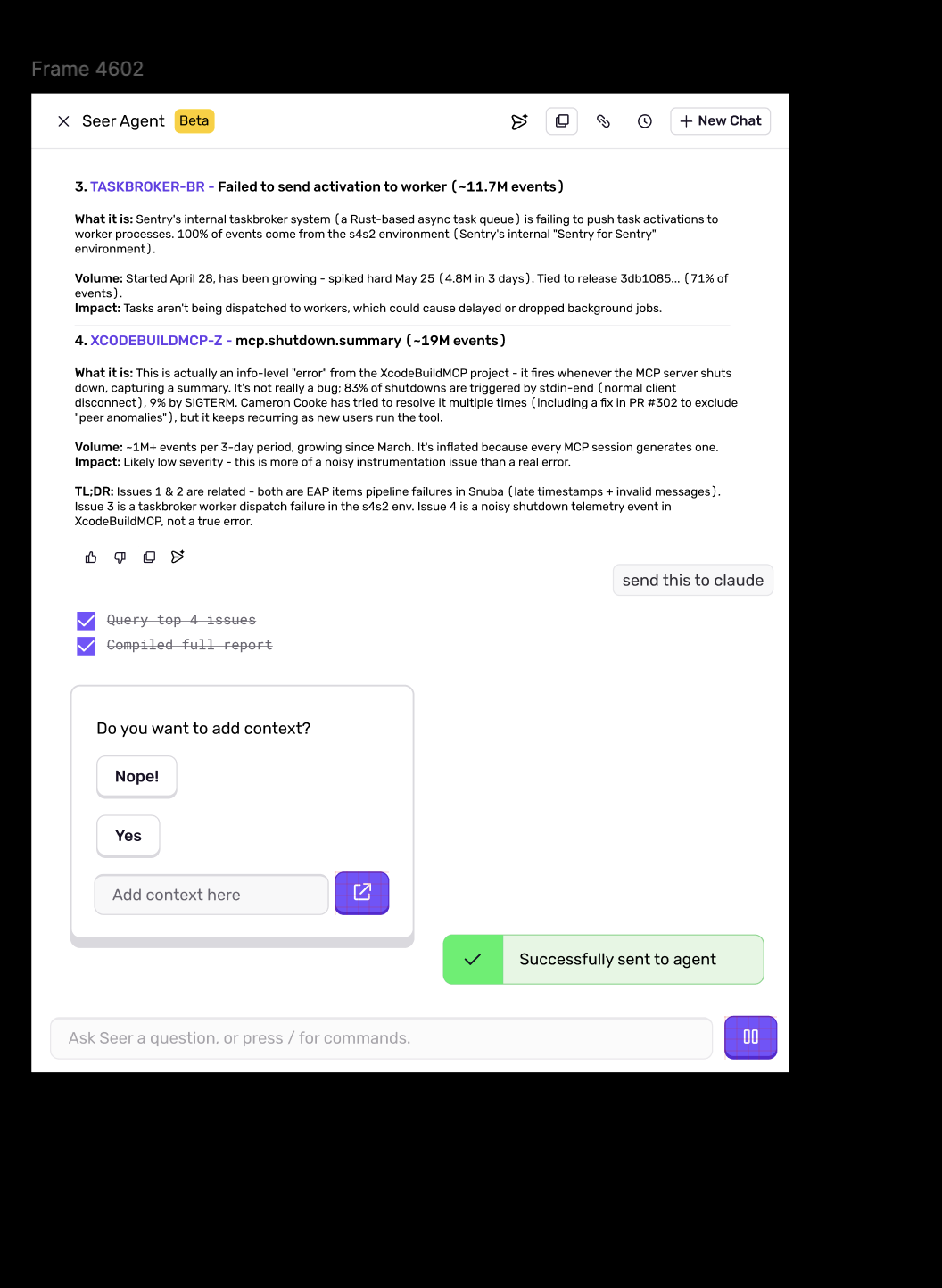
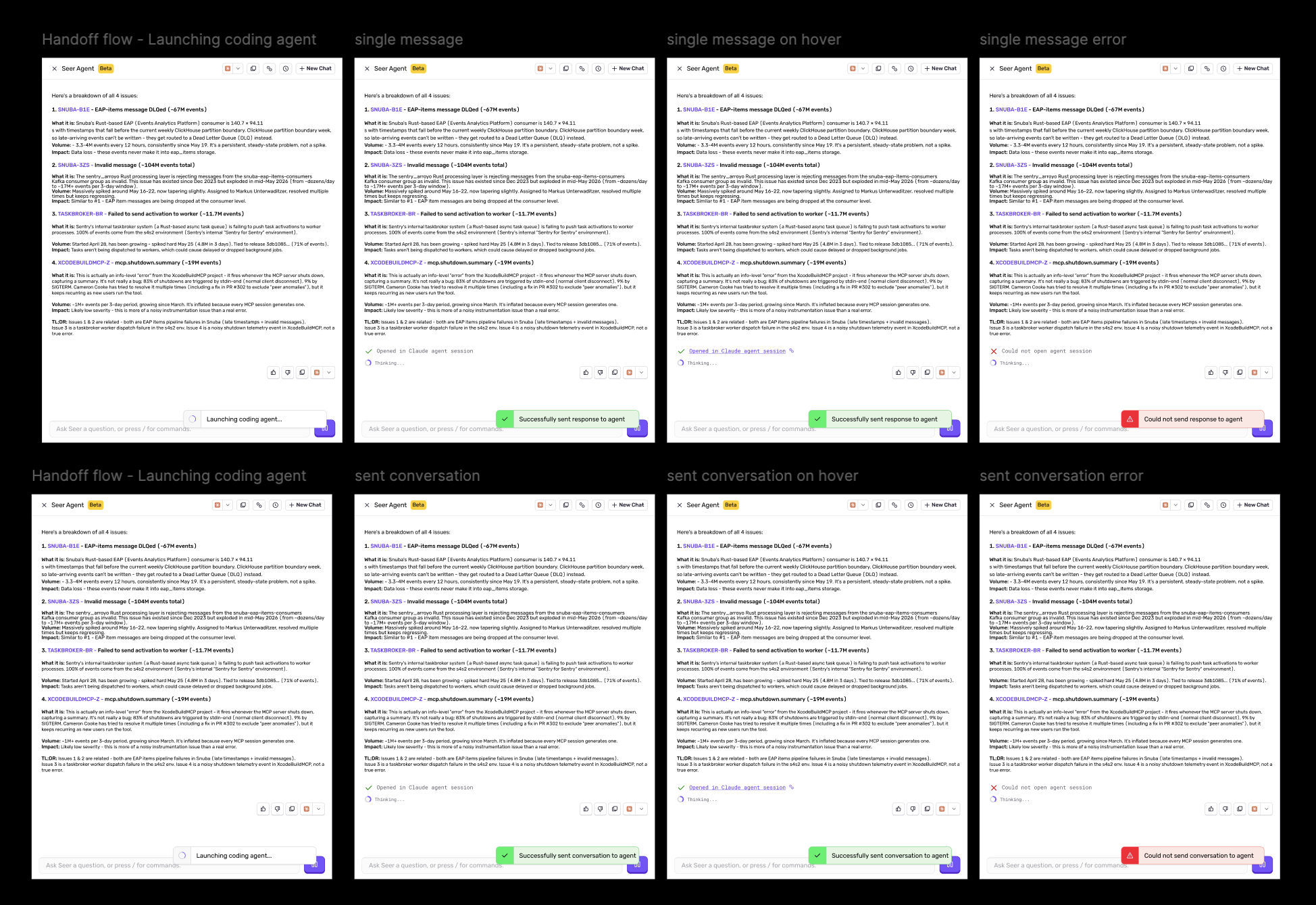
The answer was that the receiving agent does not send a fix back, so success can only mean the context arrived. The card shrank to a launching indicator, a success line with a session link, or an error, all on the existing alert component.
Copy names the scope
Confirmation and the session link beneath the response; the alert near the composer.
Confirmation copy, scoped to what was sent
Scope
Success
Error
One response
Successfully sent response to Agent
Could not send response to Agent
Full conversation
Successfully sent conversation to Agent
Could not send conversation to Agent
Errors match their success strings, so a failed navigation send is never mistaken for a failed reply send. I worked the wording through with the PM.
Result
Four confirmation strings shipped in the spec on the existing alert component.
Outcome
The design was approved and has not shipped yet.
Design, engineering, and PM approved the design and it entered the shipping cycle. I handed off both entry points, what each sends, and the setup, launching, success, and failure behavior. At the end of the internship I presented it, with my three other projects, to Sentry’s CTO, CFO, Chief of Staff, and Head of Design. It had not shipped by then, so I have no post-release usage data.
The next opportunity
Delivery per destination. A cloud agent could return a session link while a local agent needs a different open action, with the same two scopes underneath and the confirmation tied to the one event each integration can verify.
Learnings
What I took away
Data should shrink the interface, not decorate it
97% of users had one agent configured, so the dropdown became a direct action. 12 of 1,000 messages opened tool calls, so the details stayed collapsed but still travelled in the payload. I learned to use analytics to remove steps, not to justify adding them.
Design the payload before the button
The interface looked like one small icon. The real design was the contract underneath it: which messages, tool calls, and prompt travel together. What looked like a button problem was a systems problem, and I now start with what moves through an interface before I style it.
Ambiguity is a conversation you haven’t had yet
Two engineers gave me opposite answers about what the integration could return, a day apart. Instead of designing around the contradiction, I brought engineering and PM into one thread and pushed for a written decision. I no longer treat conflicting guidance as a constraint to absorb.